Showing posts with label Internet Softwares. Show all posts

Wednesday, January 8, 2014

Internet Download Manager 6.18 Build 10

Image  


Internet Download Manager : The fastest download accelerator


Internet Download Manager (IDM) is a tool to increase download speeds by up to 500 percent, resume and schedule downloads. Comprehensive error recovery and resume capability will restart broken or interrupted downloads due to lost connections, network problems, computer shutdowns, or unexpected power outages. Simple graphic user interface makes IDM user friendly and easy to use.


Internet Download Manager has a smart download logic accelerator that features intelligent dynamic file segmentation and safe multipart downloading technology to accelerate your downloads. Unlike other download accelerators and managers that segment files before downloading starts, Internet Download Manager segments downloaded files dynamically during download process. Internet Download Manager reuses available connections without additional connect and login stages to achieve better acceleration performance.


Internet Download Manager supports proxy servers, ftp and http protocols, firewalls, redirects, cookies, directories with authorization, MP3 audio and MPEG video content processing, and a large number of directory listing formats. IDM integrates seamlessly into Microsoft Internet Explorer, Netscape, MSN Explorer, AOL, Opera, Mozilla, Mozilla Firefox, Mozilla Firebird, Avant Browser, MyIE2, and all other popular browsers to automatically handle your downloads. You can also drag and drop files, or use Internet Download Manager from command line. Internet Download Manager can dial your modem at the set time, download the files you want, then hang up or even shut down your computer when it's done.


Key features of Internet Download Manager:


* All popular browsers and applications are supported! Internet Download Manager supports all versions of popular browsers, and can be integrated into any 3rd party Internet applications.
* Download with one click. When you click on a download link in a browser, IDM will take over the download and accelerate it. IDM supports HTTP, FTP and HTTPS protocols.
* Download Speed. Internet Download Manager can accelerate downloads by up to 5 times due to its intelligent dynamic file segmentation technology.
* Download Resume. Internet Download Manager will resume unfinished download from the place where they left off.
* Simple installation wizard. Quick and easy installation program will make necessary settings for you, and check your connection at the end to ensure trouble free installation of Internet Download Manager
* Automatic Antivirus checking. Antivirus checking makes your downloads free from viruses and trojans.
* Advanced Browser Integration. When enabled, the feature can be used to catch any download from any application. None of download managers have this feature.
* Built-in Scheduler. Internet Download Manager can connect to the Internet at a set time, download the files you want, disconnect, or shut down your computer when it's done.
* IDM supports many types of proxy servers. For example, IDM works with Microsoft ISA, and FTP proxy servers.
* IDM supports main authentication protocols: Basic, Negotiate, NTLM, and Keberos. Thus IDM can access many Internet and proxy servers using login name and password.
* Download All feature. IDM can add all downloads linked to the current page. It's easy to download multiple files with this feature.
* Customizable Interface. You may choose the order, and what buttons and columns appear on the main IDM window.
* Download Categories. Internet Download Manager can be used to organize downloads automatically using defined download categories.
* Quick Update Feature. Quick update may check for new versions of IDM and update IDM once per week.
* Download limits. Progressive downloading with quotas feature. The feature is useful for connections that use some kind of fair access policy (or FAP) like Direcway, Direct PC, Hughes, etc.
* Drag and Drop. You may simply drag and drop links to IDM, and drag and drop complete files out of Internet Download Manager.
* IDM is multilingual. IDM is translated to Arabic, Bosnian, Bulgarian, Chinese, Croatian, Czech, Danish, Dutch, French, German, Hungarian, Italian, Japanese, Lithuanian, Macedonian, Polish, Portuguese, Romanian, Russian, Slovenian, Spanish, Thai languages

Read More

Saturday, December 17, 2011

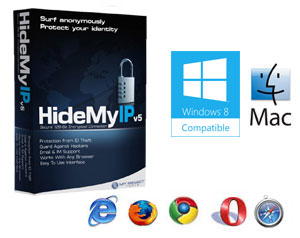
Hide My IP 5.1.3

                             Hie My IP 5.3 Released May 20, 2011. Now with more IPs, improved interface, and the Gold Pass.


Hide IP Easy v5.1.3.8
Hide IP Easy enables you to hide your real IP with a fake one, surf anonymously, prevent hackers from monitoring your activity, and provide full encryption of your online activity, all with the click of a button.

Anonymous Surfing With Hide IP Easy
Keeping your privacy is simple and easy. Use Hide IP Easy to keep your IP address hidden, ensure your privacy, provide full encryption of your online activity, and protect your identity and other personal information against hackers, all with a simple click of Hide IP button.

With Hide IP Easy, you can send anonymous emails, un-ban yourself from forums, Blogs, etc. Your identity is secure, protected, and anonymized. With it, you are able to be assigned one of our many fake proxy IP addresses which can be from different countries such as United States, United Kingdom, France, etc. Hide IP Easy works with Internet Explorer, Firefox, Opera, Maxthon, MyIE and is compatible with all types of routers, firewalls, home networks, wireless networks and any other kind of Internet.
Read More

Saturday, August 27, 2011

Internet Download Manager 6.07 Build 8 Final


Internet Download Manager : The fastest download accelerator

Internet Download Manager (IDM) is a tool to increase download speeds by up to 500 percent, resume and schedule downloads. Comprehensive error recovery and resume capability will restart broken or interrupted downloads due to lost connections, network problems, computer shutdowns, or unexpected power outages. Simple graphic user interface makes IDM user friendly and easy to use.

Internet Download Manager has a smart download logic accelerator that features intelligent dynamic file segmentation and safe multipart downloading technology to accelerate your downloads. Unlike other download accelerators and managers that segment files before downloading starts, Internet Download Manager segments downloaded files dynamically during download process. Internet Download Manager reuses available connections without additional connect and login stages to achieve better acceleration performance.

Internet Download Manager supports proxy servers, ftp and http protocols, firewalls, redirects, cookies, directories with authorization, MP3 audio and MPEG video content processing, and a large number of directory listing formats. IDM integrates seamlessly into Microsoft Internet Explorer, Netscape, MSN Explorer, AOL, Opera, Mozilla, Mozilla Firefox, Mozilla Firebird, Avant Browser, MyIE2, and all other popular browsers to automatically handle your downloads. You can also drag and drop files, or use Internet Download Manager from command line. Internet Download Manager can dial your modem at the set time, download the files you want, then hang up or even shut down your computer when it's done.

Key features of Internet Download Manager:

* All popular browsers and applications are supported! Internet Download Manager supports all versions of popular browsers, and can be integrated into any 3rd party Internet applications.
* Download with one click. When you click on a download link in a browser, IDM will take over the download and accelerate it. IDM supports HTTP, FTP and HTTPS protocols.
* Download Speed. Internet Download Manager can accelerate downloads by up to 5 times due to its intelligent dynamic file segmentation technology.
* Download Resume. Internet Download Manager will resume unfinished download from the place where they left off.
* Simple installation wizard. Quick and easy installation program will make necessary settings for you, and check your connection at the end to ensure trouble free installation of Internet Download Manager
* Automatic Antivirus checking. Antivirus checking makes your downloads free from viruses and trojans.
* Advanced Browser Integration. When enabled, the feature can be used to catch any download from any application. None of download managers have this feature.
* Built-in Scheduler. Internet Download Manager can connect to the Internet at a set time, download the files you want, disconnect, or shut down your computer when it's done.
* IDM supports many types of proxy servers. For example, IDM works with Microsoft ISA, and FTP proxy servers.
* IDM supports main authentication protocols: Basic, Negotiate, NTLM, and Keberos. Thus IDM can access many Internet and proxy servers using login name and password.
* Download All feature. IDM can add all downloads linked to the current page. It's easy to download multiple files with this feature.
* Customizable Interface. You may choose the order, and what buttons and columns appear on the main IDM window.
* Download Categories. Internet Download Manager can be used to organize downloads automatically using defined download categories.
* Quick Update Feature. Quick update may check for new versions of IDM and update IDM once per week.
* Download limits. Progressive downloading with quotas feature. The feature is useful for connections that use some kind of fair access policy (or FAP) like Direcway, Direct PC, Hughes, etc.
* Drag and Drop. You may simply drag and drop links to IDM, and drag and drop complete files out of Internet Download Manager.
* IDM is multilingual. IDM is translated to Arabic, Bosnian, Bulgarian, Chinese, Croatian, Czech, Danish, Dutch, French, German, Hungarian, Italian, Japanese, Lithuanian, Macedonian, Polish, Portuguese, Romanian, Russian, Slovenian, Spanish, Thai languages.

What's new in version 6.07 Build 8:
* Fixed bugs
 Speed Limit Option
Options on Completion.

Multilingual: English, Spanish, French, Italian, Deustch, Japanese, Portugues, etc
Compatible with: Windows 95/98/Me/2000/NT/XP/2003/Vista/Server 2008/7 (32/64-bit)


Download:
http://www.mediafire.com/?0j6z0ieq1okyvbu


Read More

Sunday, May 15, 2011

Internet Download Manager 6.05 Build 14 Final - Multilingual


Internet Download Manager : The fastest download accelerator

Internet Download Manager (IDM) is a tool to increase download speeds by up to 500 percent, resume and schedule downloads. Comprehensive error recovery and resume capability will restart broken or interrupted downloads due to lost connections, network problems, computer shutdowns, or unexpected power outages. Simple graphic user interface makes IDM user friendly and easy to use.

Internet Download Manager has a smart download logic accelerator that features intelligent dynamic file segmentation and safe multipart downloading technology to accelerate your downloads. Unlike other download accelerators and managers that segment files before downloading starts, Internet Download Manager segments downloaded files dynamically during download process. Internet Download Manager reuses available connections without additional connect and login stages to achieve better acceleration performance.

Internet Download Manager supports proxy servers, ftp and http protocols, firewalls, redirects, cookies, directories with authorization, MP3 audio and MPEG video content processing, and a large number of directory listing formats. IDM integrates seamlessly into Microsoft Internet Explorer, Netscape, MSN Explorer, AOL, Opera, Mozilla, Mozilla Firefox, Mozilla Firebird, Avant Browser, MyIE2, and all other popular browsers to automatically handle your downloads. You can also drag and drop files, or use Internet Download Manager from command line. Internet Download Manager can dial your modem at the set time, download the files you want, then hang up or even shut down your computer when it's done.

Key features of Internet Download Manager:

* All popular browsers and applications are supported! Internet Download Manager supports all versions of popular browsers, and can be integrated into any 3rd party Internet applications.
* Download with one click. When you click on a download link in a browser, IDM will take over the download and accelerate it. IDM supports HTTP, FTP and HTTPS protocols.
* Download Speed. Internet Download Manager can accelerate downloads by up to 5 times due to its intelligent dynamic file segmentation technology.
* Download Resume. Internet Download Manager will resume unfinished download from the place where they left off.
* Simple installation wizard. Quick and easy installation program will make necessary settings for you, and check your connection at the end to ensure trouble free installation of Internet Download Manager
* Automatic Antivirus checking. Antivirus checking makes your downloads free from viruses and trojans.
* Advanced Browser Integration. When enabled, the feature can be used to catch any download from any application. None of download managers have this feature.
* Built-in Scheduler. Internet Download Manager can connect to the Internet at a set time, download the files you want, disconnect, or shut down your computer when it's done.
* IDM supports many types of proxy servers. For example, IDM works with Microsoft ISA, and FTP proxy servers.
* IDM supports main authentication protocols: Basic, Negotiate, NTLM, and Keberos. Thus IDM can access many Internet and proxy servers using login name and password.
* Download All feature. IDM can add all downloads linked to the current page. It's easy to download multiple files with this feature.
* Customizable Interface. You may choose the order, and what buttons and columns appear on the main IDM window.
* Download Categories. Internet Download Manager can be used to organize downloads automatically using defined download categories.
* Quick Update Feature. Quick update may check for new versions of IDM and update IDM once per week.
* Download limits. Progressive downloading with quotas feature. The feature is useful for connections that use some kind of fair access policy (or FAP) like Direcway, Direct PC, Hughes, etc.
* Drag and Drop. You may simply drag and drop links to IDM, and drag and drop complete files out of Internet Download Manager.
* IDM is multilingual. IDM is translated to Arabic, Bosnian, Bulgarian, Chinese, Croatian, Czech, Danish, Dutch, French, German, Hungarian, Italian, Japanese, Lithuanian, Macedonian, Polish, Portuguese, Romanian, Russian, Slovenian, Spanish, Thai languages.

What's new in version 6.05 Build 14:
* Enhanced new download progress bar
* Fixed several bugs

Multilingual: English, Spanish, French, Italian, Deustch, Japanese, Portugues, etc
Compatible with: Windows 95/98/Me/2000/NT/XP/2003/Vista/Server 2008/7 (32/64-bit)


DOWNLOAD:
MediaFire LINK
http://adf.ly/1vbdY


MegaUpload Link:
http://www.megaupload.com/?d=T84IJXUM

Read More

Sunday, April 3, 2011

Sony Vegas Pro 10.0? Build 469 & 470


SONY Vegas Pro - a professional video editor for editing and multichannel audio recording. Provides processing visual effects in real time, supports an unlimited number of both audio and video tracks, multi-channel input / output, the creation of surround sound and dual-layer DVD

Video Features:
- Improved playback options in its original format HDV 1080i. M2t and improved memory usage when working with large projects HDV 1080i.
- Broad support for XDCAM, including a viewing window XDCAM, support for proxy data, support for FAM (i.LINKR) and the network mode, input-output multi-channel sound, adapting to the proxy files of low resolution and DVD-mastering. It supports all formats of XDCAM SD and HD.
- Improved use of DeckLink includes support for the boards of the current generation DeckLink PCI-e and PCI-x. There are also improvements such as a function of batch capture (group data entry), input-output multichannel audio, insert edit to tape, working with mixed timecode, support I / O signals 1080i 24p and monitoring format 720p timeline.
- Support Boards AJA SDI (requires payment Xena LH, LHe, LS, and LSe). Includes support for group input, input-output multichannel audio, insert edit to tape, work with a mixed time code, input-output signal standard and high definition 1080i 24p and monitoring format 720p timeline.
- High import and export H.264 AVC / AAC. Includes templates for Sony PSPR, Apple iPodR.
- Entering I-frame in the positions of markers when rendering MPEG-2 (using a program I-frame viewer in DVD Architect 4).
- Export PSPR.
- Extract sound from a 5.1 with DVD-based camcorders and home movies on DVD.
- Red-eye reduction for still images.

Installation:
Support for 4K
Vegas Pro 9 fully supports frame sizes up to 4096h4096. Standard for digital images 4K kinoproetsirovaniya is 4096h2160 pixels. This level of resolution provides more detail and flexibility to pankropirovaniya. It is ideal for compositing and visual effects work, and provides a high quality final result. Vegas Pro 9 also fully supports the files RED ONE â„¢. You can open and edit. R3d files directly on the timeline, as with any other video files.
Sophisticated lighting effects

Vegas Pro 9 includes over 190 customizable video effects, including the new collection of modern lighting effects. New in version 9 – Shine, Rays, Rasfokus, Stardust, soft contrast, and shading. They allow you to simulate the effect of light of your source, to create colored light, change the focus of your shot, and it’s not all.
New transition – Gradient Wipe

Videoprotsessing 32-bit floating point numbers – Improved
Work in 8-bit mode for speed, and then go on a 32-bit floating point for more precision in the final rendering without any changes in the levels or contrast. This mode allows you to take advantage of the improved color, more vivid colors, reduced gradient range and posterization for smoother color transitions, linear light for optically correct compositions, as well as many other precision enhancements.

Workspace:
A dark color palette
Interface Vegas Pro 9 is enriched with new color scheme, which provides an optically neutral environment for optimized viewing of colors and increase comfort when working in a darkened editing studio.

New default (layout)
Vegas Pro 9 gives you the opportunity to have a default layout for windows, distributed to various assembly tasks. This placement can be changed and saved for a truly personalized workspace set up for your work style. New in version 9 – accommodation for audiomikshirovaniya and color correction.

Capture, import, export:
Support gigapikselnyh image
With Vegas Pro 9, you can pan, scan, crop of extremely large images to create kinoposledovatelnosti corresponding resolution HD. Vegas Pro 9 also supports still images with video camcorders professional level and still cameras, which combine several photos together to create one large image.
Open and edit files on the RED ONE â„¢ is being performed

Vegas Pro 9 has advanced support spaces 4K, including support files, RED ONE â„¢.
Capture in MXF c SD / HD-SDI devices

Changes in Version 10.0:
- Implemented numerous fixes in the video FX timeline editor.
- Implemented numerous fixes in the OFX plug-in API.
- Enabled 1080-50p/60p for Sony AVC.
- Enabled B-frame rendering for nonbaseline profiles for Sony AVC.
- Improved the MPEG-2 reader.
- Fixed a crash when canceling two-pass MPEG-2 renders.
- Fixed an issue that could cause FX automation envelopes to change which parameter they controlled when switching plug-ins using the Insert FX region of the Mixing Console.
- Fixed an issue that could cause the wrong plug-in to be added when adding an effect from the Insert FX region of the Mixing Console.
- Fixed an undo buffer error that could occur after bypassing FX on an Input Bus.
- Fixed a crash when rendering a file when MIDI ports are enabled.
- Fixed a reversal of the vertical offset direction in the Stereoscopic 3D Adjust plug-in if rotation and keystone adjustments were both zero.
- Fixed missing render templates in the Export Video to XDCAM Disc dialog.
- Fixed a crash when using Show Video Monitor in the Trimmer when stereoscopic 3D is active on the external monitor from the Video Preview window.
- Fixed issues with Build Dynamic RAM Preview not stopping when requested if Pan / Crop window is open, or stopping early if Video FX window is open.


Download:
http://www.megaupload.com/?d=GIALWY84
http://www.megaupload.com/?d=1UTZR8DX
Read More

Monday, March 7, 2011

Norton 360™ V.5.0.0.125-Final


Norton 360 provides all-in-one protection that keeps you, your family, your PC, and your information secure. This comprehensive solution combines Symantec's proven, industry-leading security and PC tune-up technologies with new automated backup and antiphishing features, providing a full circle of protection. Norton 360™ Version 3.0 offers proven performance, delivering today’s fastest and lightest all-in-one solution for protecting your PC and all your online activities. It protects against viruses, worms, hackers, and botnets, safeguards against online identity theft, protects important files, and keeps your PC tuned and running at peak performance. Completely automated and easy to use, Norton 360 works quietly in the background, with virtually no impact on PC performance, to provide comprehensive protection for everything computer users care about. By offering an unmatched combination of performance and protection, it helps you get the most out of your PC and your online experience.


Norton 360 is an award-winning, all-in-one protection solution that enables customers to feel safe and secure while conducting all their everyday computing activities. Norton 360 has won the Editor’s Choice awards from PC Magazine, CNET, and Laptop Magazine. It offers comprehensive protection for your computer, your identity, and your data with unparalleled performance, effectiveness and usability.


Protect your PC, files, and identity with the industry’s fastest, lightest, most complete security solution. Order Norton 360 today and get industry-leading protection from the lightest, fastest, most complete all-in-one solution available.
• PC security defends against viruses, spyware, botnets, and moreprotects your computer and all your online activities.
• Identity protection safeguards you against online identity theftlets you shop, bank, and browse with confidence.
• PC Tuneup keeps your PC running at peak performancemakes your computer run faster and helps keep it running like new.
• Automated backup and restore protects your important files from losssafeguards your irreplaceable photos, movies, music, and more.
• 1 Year Protection for up to 3 Household PCs


Norton 360 delivers these benefits without sacrificing PC performance, and provides peace of mind through a non-intrusive, reassuring user experience that automatically handles issues in the background. Delivered as an annual subscription for up to 3 PCs, Norton 360 automatically installs both definition updates and product upgrades, protecting you from the latest threats via the world’s largest Internet security network.


Key Technologies:


• NEW! Reputation service
• NEW! Norton Insight
• NEW! Norton Download Insight
• NEW! Web-based Access to Backup Files
• NEW! SONAR 2 Behavioral Protection
• IMPROVED! Automated Backup and Restore
• NEW! Reputation service
• NEW! Norton Insight
• NEW! Norton Download Insight
• NEW! Web-based Access to Backup Files
• NEW! SONAR 2 Behavioral Protection
• IMPROVED! Automated Backup and Restore
• NEW! Norton System Insight
• NEW! Norton File Insight
• IMPROVED! Anti-Phishing
• IMPROVED! Parental Controls
• Antivirus
• Antispyware
• Network Monitoring
• Rootkit Protection
• PC Tuneup
• IMPROVED! Professional-Strength AntiSpam
• IMPROVED! Vulnerability Protection
• IMPROVED! Start-up Manager
• Norton Browser Protection
• Bot Protection
• Identity Protection
• Norton Safe Web
• Smart Firewall
• Download Protection
• Pulse Updates
• New Scan features such as scan links on your faceBook wall
Password: zainpcsoftwares
Download:
Read More

Sunday, March 6, 2011

Corel PaintShop Pro Photo X3 13.2.0.41


Description:
Photo editing software…
If you have a passion to create extraordinary photos, Corel ® Paint Shop Pro Photo ™ X3 is the photo editing program for you. Laboratory includes a new RAW files and batch processing photos is easy and the only editing software that combines advanced photo photo management, creative projects, sharing photos and even HD video presentations in a single package. It has everything you need for professional results you’ll be proud to share. Perfect for digital SLR cameras (DSLR).
It now includes HD video projects
PaintShop Pro Photo X3 is the most rewarding to improve your photos and create professional-looking images. This photo-editing program now includes a complete workflow with RAW files and lets you manage, adjust, edit and share your digital photos all from the same place. Streamline the way you organize, rate, tag and sort your photos with new tools for managing photos. Automatic corrections applied in the Express Lab improved or go ahead and takes full advantage of all the advanced editing tools. When finished, you can upload your pictures to Flickr ®, Facebook ® and YouTube ™, create albums and photo projects of top quality photo printing, emailing or backup to disk. Now you can perform all editing of photos from start to finish on a high performance package.

* New! Laboratory RAW files: manually adjust RAW photo collections during the charging process
* Improved! Lab Express: Instantly fix common flaws in the Quick Edit mode
* New! Advanced editing tools: Edit faster with intelligent writer, Dynamism and many other tools
* New! Photos and video HD: HD video import and export
* New! Integrated projects, create albums, slideshows HD, cards and much more
* Improved! Photo Sharing: send photos by email, print them online * or at home and send them directly to Facebook, YouTube and Flickr

Extra! Corel ® Painter ™ Photo Essentials 4 (English)
Converts photos into paintings in three easy steps
News
This is an essential upgrade for users of PaintShop and digital SLR cameras (DSLR). This is the fastest version to date and includes innovative features of professional quality as Smart Recorder, the new Laboratory of RAW files, batch processing and easy photo organizer. Learn how to streamline your workflow and high quality results.
Features
PaintShop Photo Pro is the best photo editing software for digital SLR (DSLR) that allows you maximum enjoyment to digital photography. Faster and easier your workflow to create professional photos to be proud.

Minimum System Requirements
* Microsoft ® Windows ® 7, Windows Vista ® or Windows ® XP with latest service packs installed (32 or 64 bits)
* Processor 1.5 GHz (recommended 2 GHz or more)
* 1 GB of RAM (2 GB or more)
* 3 GB of free space on hard drive
* Minimum screen resolution: 1024 x 768 (24-bit color)
* DVD-ROM compatible with Windows Setup
* Internet connection for online features


Password: zain
Download:

http://www.megaupload.com/?d=OAG5QCK2

Read More

Monday, December 13, 2010

Thread: Classroom Spy Pro 3.6.2


I
t is hard to teach a group of people how to use a PC, or even how to use a specific program on a PC or the internet. Yes, PC or web training isn't easy. For someone who's doing something right, there are probably two others doing it wrong, playing games, checking email, shopping... Classroom Spy lets you see what everyone's doing - without leaving your desk. You can monitor the activity of all the PCs in your classroom remotely. Plus, you can share your screen with your students' PCs, making demos and presentations much easier.

Top Features
What is it useful for?
For monitoring and recording your students activities on a remote computers
For preventing internet browsing on remote computers
For starting and stopping applications and processes on remote computers.
For monitoring students in the classroom to achieve better discipline or, just to assist them when they are in trouble (by using the remote control feature).
For administrating all computers just from one location – your computer.
For presenting your screen to students.
For locking students computers while they are waiting for further instructions or assignments.
Helping your students by showing your desktop to them.
Turning off, restarting, .... remote computers with one click.
What are the major benefits of using Classroom Spy Professional?
Installation and use of the application is very easy since all of the functions can be accessed with a few mouse clicks.
You have complete control over what remote users are doing.
This application provides you with a live picture of the remote computer screens. The live screen (due to some optimizations) does not use a high bandwidth, but even when the lower network bandwidth is required the refresh interval can be enlarged using one mouse click.
You can make the presentation by showing your live screen to students
Application allows you to take over the remote computer by controlling its mouse and keyboard.
The remote computersÒ‘ screens are represented in the table with a customizable number of rows as thumbnails.
Using this application, you can always see which user is actually logged on to the remote computer.
Schedule remote computers desktop recording to AVI files
Execute several actions on all remote computers with on click
Block internet access

Main Features:
Displaying a live picture of a remote computer.
You can take control of a remote computer by controlling its mouse and keyboard.
More remote screens can be displayed in a table.
Computers can be organized in computer groups (e.g. classrooms)
A remote screen can be zoomed to an actual size.
The name of the connected user is displayed.
Record remote computers screens to AVI files.
Show your desktop to students
Power off, restart, hibernate, suspend remote computers
Log off desktop users
Lock workstation
Control screensaver
Block internet
Multi monitor support
Control over running processes
You can lock selected remote computers
You can display a message on selected remote computers.
When lower bandwidth is required, the refresh interval can be enlarged.
Automatic connection to a remote computer is optional.
Settings for the agent are encrypted and password protected.
Connection to a remote computer is password protected.
Access to monitoring the console is password protected. If more users use the same computer, different profiles and access passwords can be set.
More monitoring consoles can be connected to the same remote computer - you can monitor your students from different locations.
Application can optionally use encrypted communication.
Agent can be remotely installed.
Fast users switching is supported.

Download:

Read More

Friday, December 10, 2010

Download Accelerator Plus Premium 9.5.0.2


Download Accelerator Plus (DAP) is the worlds most popular download accelerator, giving you the fastest possible download speeds, with privacy, security, and ease of use. Allows you to download up to 300% faster with increased reliability, resume support and errors recovery. It searches for mirror sites that most effectively serve your downloads through multiserver connections for optimal utilization of dial-up or broadband connections. DAP automatically recovers from shutdowns, lost connections, and other errors.
It is fully integrated into Netscape, Internet Explorer, and Opera, Mozilla/Firefox and offers a toolbar for Internet Explorer with a links catcher and a highlighter, providing the best possible performance from ANY Internet connection (dial-up, cable, DSL / ADSL, T1 etc.), allowing a Faster and more Reliable download experience. It features auto-hang-up after downloading, proxy settings, scheduling, and a unique AlwaysResume service.
DAP is powered by patented multi-channel technology and automated mirror search, and has been recognized for delivering significantly faster download speeds. Come take a look at all the amazing features of DAP. Getting started with DAP is simple. Just install DAP on your computer, download the same way you always have, and watch as your file download speed is significantly improved.
FEATURES:
• Download Speed – Download files as fast as possible:
* Proven – advanced patented technology
* Trusted – Over 165 million installs (users)
* Recognized – World Economic Forum 2008 Technology Pioneer
• Download Security – Download safer as you see what the leading security programs say about your files
• Pause & Resume – Continue broken or paused downloads
• Video Preview – Watch previews of videos as they download
• Broadband Optimization – Get the most from high speed internet connections
• File Shredder – Completely shred and destroy files
• Trace Cleaner – Remove download traces from your computer
• Private Folder – Lock, hide, and protect your downloads
• ZIP Preview – Preview and extract Zip files as they download
Video Expansions:
• SpeedBit Video Downloader – Download YouTube / web videos to your computer
• SpeedBit Video Accelerator – Expansion to watch YouTube / web videos without pauses and buffering
Other DAP Features:
• Preview pane – Preview downloads of Music and Video files
• Download list – Advanced management of downloads queues, priorities and statuses
• File Information pane – Advanced information of downloaded files and sources
• Completed downloads list – Separate list of completed downloads
• DAP Drive integration – Save downloads and Upload files to DAP Drive web storage
• Media Center Tab – Conveniently manage your media files
• Superior Usability – New interface with flexible design options
• Integrates with all browsers – Internet Explorer, Netscape, Opera, Mozilla/Firefox
Unleash the full power of DAP. Go Premium and receive Extreme Acceleration, comprehensive privacy features, advanced downloading tools, and the best download experience available.
See what you get with DAP Premium:
• Premium Acceleration. Unleash the full power of DAP! Download files with Extreme Acceleration, downloading with up to ten connections at once. DAP Premium provides the fastest possible download speeds.
• Premium Privacy Tools. Keep your privacy with DAP Premium. Shred files beyond recovery with DAP’s File Shredder and remove download traces with Trace Cleaner for confidential downloading. Lock and hide your files in a Private Folder to keep them protected.
• Premium Download Experience. DAP Premium gives you powerful download tools. Use ZIP Preview to view and extract ZIP files as you download; Password Manager stores your download passwords to keep things simple.
• Premium Support. With DAP Premium you will receive priority Gold Support so you will always have the help you need. You will also receive one year of SpeedBit Upgrade Coverage so you will always have the most up to date version of DAP.
• Premium File Transfer. Use Advanced FTP tools for more powerful FTP downloading. Access two or more FTP sites simultaneously; browse FTP sites and view remote files even without downloading them.
Only with DAP Premium:
• Extremely faster – x10 connections per download!
• Absolutely no advertisements!
• Totally customized download experience!
• Shredder to totally eliminate files you don’t need!
• Trace Cleaner -keep your privacy after browsing!
• Preview & extract zip files while downloading!
• Cool new look, more comfortable management features!
Supported Platforms: Windows 7, Windows Vista. Win2000 | Windows NT4 | XP
Changes in DAP 9.5.0.1:
* Complete support for the fast Google Chrome browser
* Improved download process for easier and more reliable downloading
* Accelerated video downloading via SpeedBit Video Downloader expansion
* Smooth streaming video with optional video accelerator expansion
* Firefox 4 support
Known Bugs:
* In the Chrome browser, automatic downloads are downloaded by the browser, and not with DAP
* DAP right-click menu items do not function properly in Google Chrome version 5
* DAP acceleration can not be disabled in Google Chrome on a web page that is already loaded
* During new Google Chrome browser sessions, downloads are handled by Chrome, and not by DAP

If this version doesn't work then download the portable version of DAP premium and Enjoy

Download:

http://www.fileserve.com/file/Ghtgjj2

Portable Version:
Note :
1- Flash Player 10.1 Included
2- Run Internet Explorer That has been Included
3- Go to download page that You Want
4- DownLoad With DownLoad Accelerator Plus Premium

Download:
Read More

Friday, December 3, 2010

AVG Internet Security 2011 11.20

AVG Internet Security 2011 10.0.1120 Build 3152x86


AVG Internet Security 2011 - a set of programs to protect your PC from dangerous objects and network threats. Program blocks viruses, trojans, worms, spyware, and firewall to protect against network attacks. When using AVG Internet Security 2011 you will not have to worry about identity theft, spam and viruses.
Advantages of products AVG:
• The necessary level of protection
• Our specialists are always looking for new challenges, so we can quickly develop new ways of protection.
• AVG products protect more than 80 million PC users around the world.
• Easy to use security
• AVG products are easy to download, install and use, have minimal impact on system performance.
• Technology, the award-winning
• AVG security system certified by all major independent certification companies, such as the ICSA, Virus Bulletin, Checkmark (Lab West Coast Labs).
AVG Internet Security 2011 includes the following modules:
• Anti-Virus - find and remove various viruses, Trojans, Internet worms.
• Anti-Spyware - Protecting your computer from installing spyware and other malicious programs.
• Anti-Rootkit - protection against hidden threats, spreading malicious content.
• Anti-Spam - E-mail filtering and deleting spam.
• Identity Protection - Protection against new and unknown threats.
• LinkScanner Active Surf-Shield - protection in real time from infected web pages while surfing the Internet.
• LinkScanner Search-Shield - a mapping of security assessments in real time for all the search results Google, Yahoo and MSN / Live.
• Web Protection & Firewall - a full-fledged firewall to protect your computer while it is running on the web.
• ID Protection - now your passwords, credit card numbers and other personal data are protected from theft.

Key features:
• 100% virus detection. AVG Antivirus scan engine has received numerous awards for its excellent detection vredonostnogo package, including the VB100%. The unique combination of detection methods of AVG provides full protection against viruses, worms and Trojans.
100% protection against spyware (spyware). AVG is not only the search capabilities of spyware and keyloggers in the files and archive files, and search capabilities hidden keys in the registry.
• Detection "on the fly." AVG scanner monitors the calls to the file system and produces double-check files when accessing them, allowing you to build another layer of protection from the infected files.
• Postage protection. AVG scans all email traffic, and connects to the mail clients such as: MS Outlook, The bat!, Eudora, and other SMTP/POP3 mail clients such as Outlook Express. Also supported by checking SSL-traffic.
• Anti-spam and phishing filters. Each letter, entering a mailbox that is checked by means of signature databases are updated every minute.
• Monitoring network connections. With built-in firewall AVG scans all incoming and outgoing connection requests from the computer, prevent network attacks on computer and network activity for the Trojans.
• Powerful scheduling. AVG automatically provides a daily schedule for scanning and updating, and will give you the opportunity to create their own scheduled events.
• Supports 23 languages.

OS: Windows 2000 / XP / Vista / 7 (x86/64)

Download:
http://www.fileserve.com/file/CpMraNF
Read More

Friday, November 26, 2010

Internet Download Manager 6.0.3 Cracked


Internet Download Manager v6.03 beta. Fixed compatibility problems with different browsers including Google Chrome. Improved FLV grabber to save videos from web players on YouTube, WOW! Google Video, MySpace TV, and other popular sites


Internet Download Manager has a smart download logic accelerator that features intelligent dynamic file segmentation and safe multipart downloading technology to accelerate your downloads. Unlike other download accelerators and managers that segment files before downloading starts, Internet Download Manager segments downloaded files dynamically during download process. Internet Download Manager reuses available connections without additional connect and login stages to achieve better acceleration performance.

Internet Download Manager supports proxy servers, ftp and http protocols, firewalls, redirects, cookies, authorization, MP3 audio and MPEG video content processing. IDM integrates seamlessly into Microsoft Internet Explorer, Netscape, MSN Explorer, AOL, Opera, Mozilla, Mozilla Firefox, Mozilla Firebird, Avant Browser, MyIE2, and all other popular browsers to automatically handle your downloads.

You can also drag and drop files, or use Internet Download Manager from command line. Internet Download Manager can dial your modem at the set time, download the files you want, then hang up or even shut down your computer when it's done.
Other features include multilingual support, zip preview, download categories, scheduler pro, sounds on different events, HTTPS support, queue processor, html help and tutorial, enhanced virus protection on download completion, progressive downloading with quotas (useful for connections that use some kind of fair access policy or FAP like Direcway, Direct PC, Hughes, etc.), built-in download accelerator, and many others.


Download:

Megaupload Link

http://www.megaupload.com/?d=6YGWGEQO

http://www.youtube.com/watch?v=knJuM-ShunQ
Read More

Tuesday, September 28, 2010

Adobe Photoshop CS5 Extended v12.0


Adobe® Photoshop® CS5 software accelerates your path from imagination to imagery. Ideal for photographers, graphic designers, and web designers, the professional standard delivers new features such as automatic layer alignment and blending that enable advanced compositing.Live filters boost the comprehensive, nondestructive editing toolset for increased flexibility. And a streamlined interface and new timesaving tools make your work flow faster. Adobe® Photoshop® CS5 Extended software delivers all the features in Photoshop CS5, plus new features for working with 3D imagery, motion-based content, and advanced image analysis.

If you work in film, video, multimedia, 3D, manufacturing, architecture, engineering, medicine, or science, Photoshop Extended is for you.

Adobe Photoshop software takes advantage of the latest graphics processing unit (GPU) hardware to deliver superior performance. The software offers a smooth pan and zoom experience that allows users to easily edit images at the highest magnification while maintaining clarity. The new Canvas Rotation tool makes it simple to rotate and work on an image from any angle. Photoshop CS5 helps keep work areas clutter-free with a new unified application frame, tab-based interface and self-adjusting panels that make it easy to quickly access advanced tools, and provide a more fluid way to interact with the application.

Adobe CS5 Extended includes all the new features of Photoshop plus the ability to manipulate 3D imagery easier than ever before. Now, creativity knows no bounds, as users can paint directly on 3D models and surfaces, merge 2-D files onto 3D images and animate 3D objects. The 3D engine has been rebuilt from the ground up to provide faster performance, allow editing of properties like light and the ability to create more realistic renderings with a new high-quality ray-tracer. Video professionals have the ability to turn any 3D object into a video display zone and can animate 3D objects and properties with ease. In addition, the core motion graphics editing has been improved with more efficient single-key shortcuts.

Photoshop users may take a while to move to the new 64-bit version of Photoshop CS5, but it's an important development; meanwhile, CS5 offers plenty of other significant upgrades to keep 32-bit users happy.
Photoshop now comes in both 32- and 64-bit Windows Vista versions. The 64-bit edition will allow PCs with lots of RAM to work on very large images with less hard-disk swapping (ideally, no swapping at all), thus speeding up operations. With the shrinking amount of RAM available to modern PCs (due to a 4GB limit on 32-bit Windows versions and those operating systems' increasing hunger for RAM), that's a significant update.

Overall product features
• Revolutionary new features, a fluid user experience, and improved access to the unrivaled power of Photoshop
• A more intuitive user interface and new nondestructive editing features that put you in control, including the new Adjustments and Masks panels
• New and revolutionary Content-Aware Scaling, advanced auto-blending that extends depth of field, and industry-leading editing and compositing with reengineered color-correction tools
• Significant productivity enhancements that provide increased flexibility and enable you to leverage the power of today's faster graphics processors
• Breakthrough 3D editing and compositing capabilities and improved video controls to dramatically expand your creative options
• Comprehensive image analysis with enhanced measurement and counting tools, as well as support for DICOM images and MATLAB processing routines

New and enhanced features:

Unrivaled editing
• Adjustments panel for live, nondestructive image adjustment
• Masks panel for creating editable, feathered, density-controlled masks
• Content-Aware Scaling
• Enhanced auto-blending of images
• Enhanced auto-alignment of layers
• 360-degree panoramas
• Extended depth of field
• Better raw image processing
• Enhanced expert retouching

Increased productivity
• Smoother panning and zooming and fluid canvas rotation
• Industry-leading color correction with reengineered Dodge, Burn, and Sponge
• Efficient file management with new Adobe Bridge CS4
• Tighter integration with Adobe Photoshop Lightroom®
• Adobe Kuler™ for color harmony creation and sharing
• N-up and multiple document view
• More powerful printing options
• Superior performance on very large images
• Multi-Touch support on Mac laptops
• Adobe Community Help

Breakthrough 3D, motion graphics, and image analysis
• Direct painting on 3D objects
• Easy conversion from 2D to 3D
• Editable 3D properties (scene, materials, meshes, lights)
• High-quality output with new ray-tracing rendering engine
• 2D and 3D image compositing
• 3D object animation
• 3D/video support
• New, high-performance, nonmodal 3D engine
• Volume rendering
• Single-key shortcuts for editing motion graphics
• Preview and export of audio content and frame comments
• Quantitative data extraction
• Enhanced Count tool

Download:
http://www.megaupload.com/?d=TPY5OR4B
http://www.megaupload.com/?d=IMEO0UIJ
http://www.megaupload.com/?d=2TI7436H
http://www.megaupload.com/?d=EIBY5EN8
http://www.megaupload.com/?d=01FOVAEF
http://www.megaupload.com/?d=LXS67J3E
http://www.megaupload.com/?d=H9QXV9Z3
http://www.megaupload.com/?d=I2P6BM3P
http://www.megaupload.com/?d=HKPNUOLR
http://www.megaupload.com/?d=S0Y2L7P9
http://www.megaupload.com/?d=9PTU7DPW
Read More
Powered By Blogger · Designed By Seo Blogger Templates